1
Enter it once
Capture the information during the pour. Use those same records in your PDF instead of typing up a separate report later.
Log deliveries, ticket photos, tests and issues as the pour happens. With Pro, turn your saved records into a PDF ready to share — without typing everything up again.
Free to download · Pro $19.99/year or $29.99 lifetime
Less paperwork. Clear delivery records. Faster handovers.
Built for foremen, site supervisors and QA/QC teams.

Select an image to view it larger. Documentation coverage is not a quality or compliance approval.
The truck has left. The crew has moved on. Your documentation should still tell the story clearly.
Capture the information during the pour. Use those same records in your PDF instead of typing up a separate report later.
A unique delivery number keeps its associated information and photos connected, giving you a consistent reference when questions come up.
Send the finished PDF from your iPhone to the relevant supervisor or QA/QC contact, while the details are still fresh.
A delivery arrives. A test is taken. A delay needs explaining. Capture each part of the pour in the same project record.
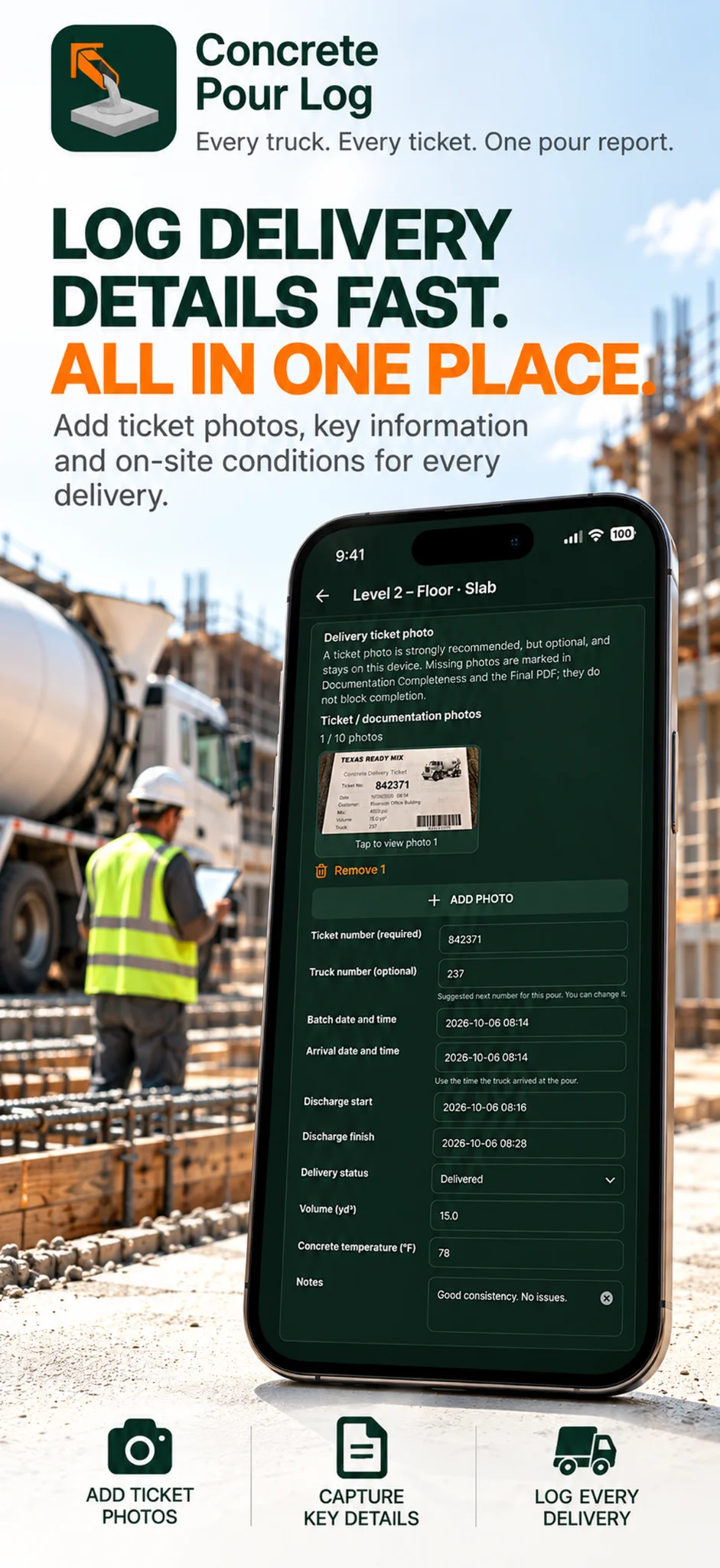
Keep ticket and truck numbers, volumes, arrival and discharge times, temperatures and delivery status together.
Log slump, flow, air content, concrete temperature and sample references alongside the pour.
Document delays, quality issues and actions taken. Track whether an issue remains open or has been resolved.
Attach photos to the pour, deliveries, tests or issues, with captions to explain what they show.
See ordered and delivered quantities and truck count, with accepted and adjusted deliveries reflected in the totals.
Record the work on your iPhone offline. Use metric or imperial units to suit the project.
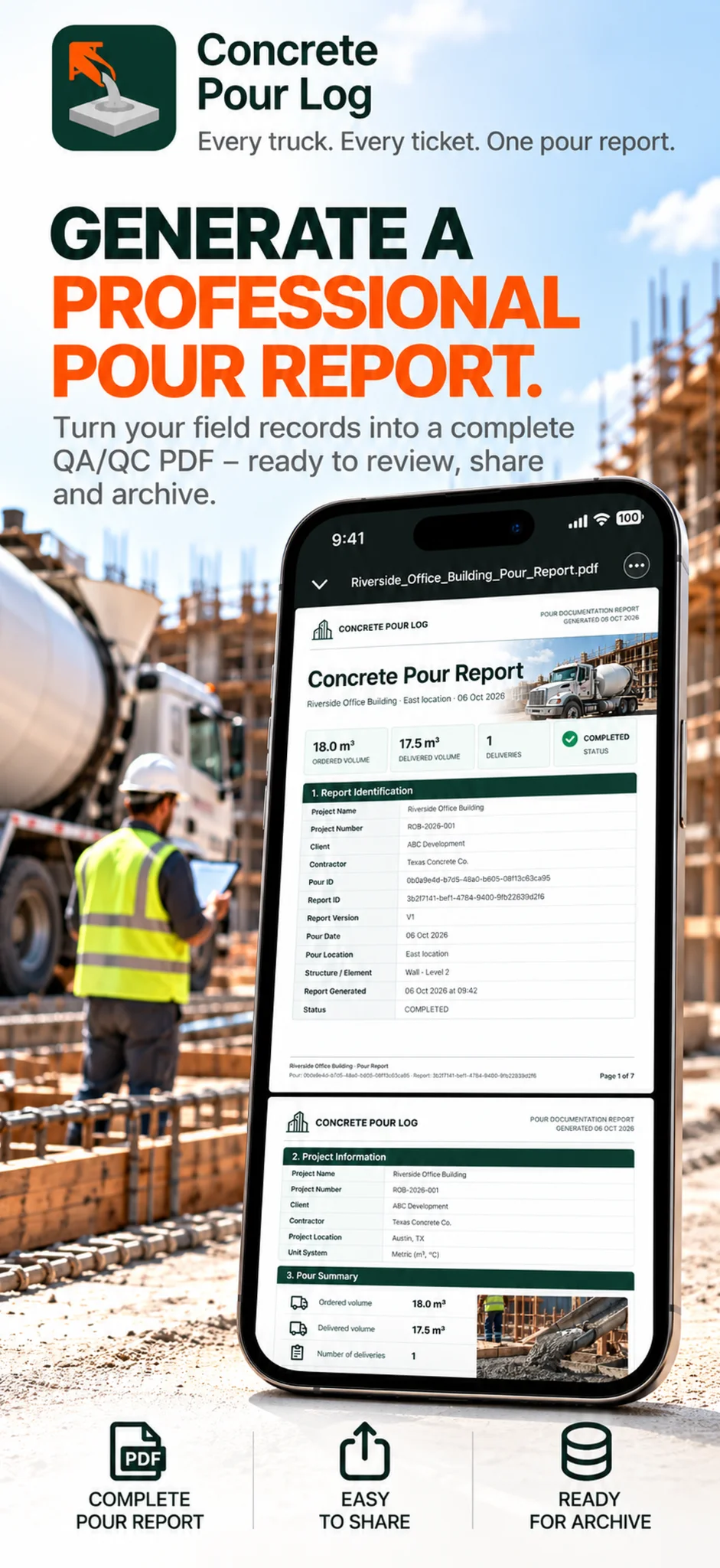
Give the reviewer the project context, delivery records, tests, issues and supporting photos together in one PDF.
Generate the report from your saved entries and share it from your iPhone for review, printing or filing with the project documentation. PDF reports are a Pro feature.
Reports reflect the records you enter. Project-specific quality and contractual requirements still apply.
An outline of report contents, not a generated app report.
Create a project and enter the pour location, mix, supplier and ordered volume.
Add deliveries, tests, issues and photos while the pour is active.
Complete the pour, review the record and generate a PDF to share.
Keep the pour documented, the deliveries traceable and the report ready to share.
Keep entries and photos together, then generate the PDF without assembling a separate document.
Link the associated information and photos to each delivery, ready for later checks.
Send the PDF to the relevant people while details are fresh, ready for QA follow-up.
| THE PROBLEMPaper & manual reporting | THE SOLUTIONWith Concrete Pour Log |
|---|---|
| Repeated paperworkNotes typed up again after the pour. | Record once. Generate the PDF from saved entries. |
| Scattered photosImages separated from the delivery notes. | Keep photos with their associated delivery record. |
| Unclear delivery referencesTickets, notes and photos matched manually. | One unique delivery number connects the record. |
| Time spent building reportsCopy text and arrange photos in another document. | Generate and share a PDF from your iPhone. |
| Issues hard to reconstructDetails spread across notes and messages. | Keep deviations and comments with the pour. |
| Difficult handoversExplain which evidence belongs to each delivery. | Give reviewers connected records and clear references. |
| QA documentation arrives lateChecks wait while the report is compiled. | Share the record promptly for QA review. |
| Previous records hard to findSearch notebooks, reports and photo folders. | Reopen saved pours under the project. |
| Poor site connectivityPaper capture and later reporting are separate. | Record and generate the PDF offline. |
PDF reports are a Pro feature. Online sharing needs connectivity. Accurate entries, QA review and approval remain part of your project procedures.
Choose Pro for shareable PDF reports and up to 10 photos per entry. Annual and lifetime include the same features.
Log your pours with one photo per entry. Upgrade for PDF reports and up to 10 photos per entry.
Annual access to Pro for your pour documentation.
Billed annually. Renews unless cancelled.
Upgrade inside the iPhone app.
The same Pro features, with no recurring subscription.
Lifetime access with a single purchase.
Purchase inside the iPhone app.
Prices shown in USD. Local prices and applicable taxes are displayed in the App Store. Purchases are made in the app.
Clear, field-focused guides for organizing delivery records, QA/QC documentation and pour handovers.
What to capture from project setup through delivery logs, tests, issues and closeout.
A practical before, during and after-pour documentation checklist.
A field guide from the first truck to the final handover record.
Keep ticket numbers, volumes, times, temperatures and photos connected.
See how a clear final field report can be structured for review.
A concrete pour log records what happened during a pour: deliveries, ticket references, volumes, timing, tests, photos and issues. Concrete Pour Log keeps those records together on your iPhone, so you can document the work as it happens.
Foremen, site supervisors, project engineers, QA/QC staff and concrete contractors who need a clear record of individual concrete pours.
Record each delivery with its unique delivery number and attach its ticket photo and supporting information. The reference keeps the associated records connected when you need to check a delivery or explain what happened.
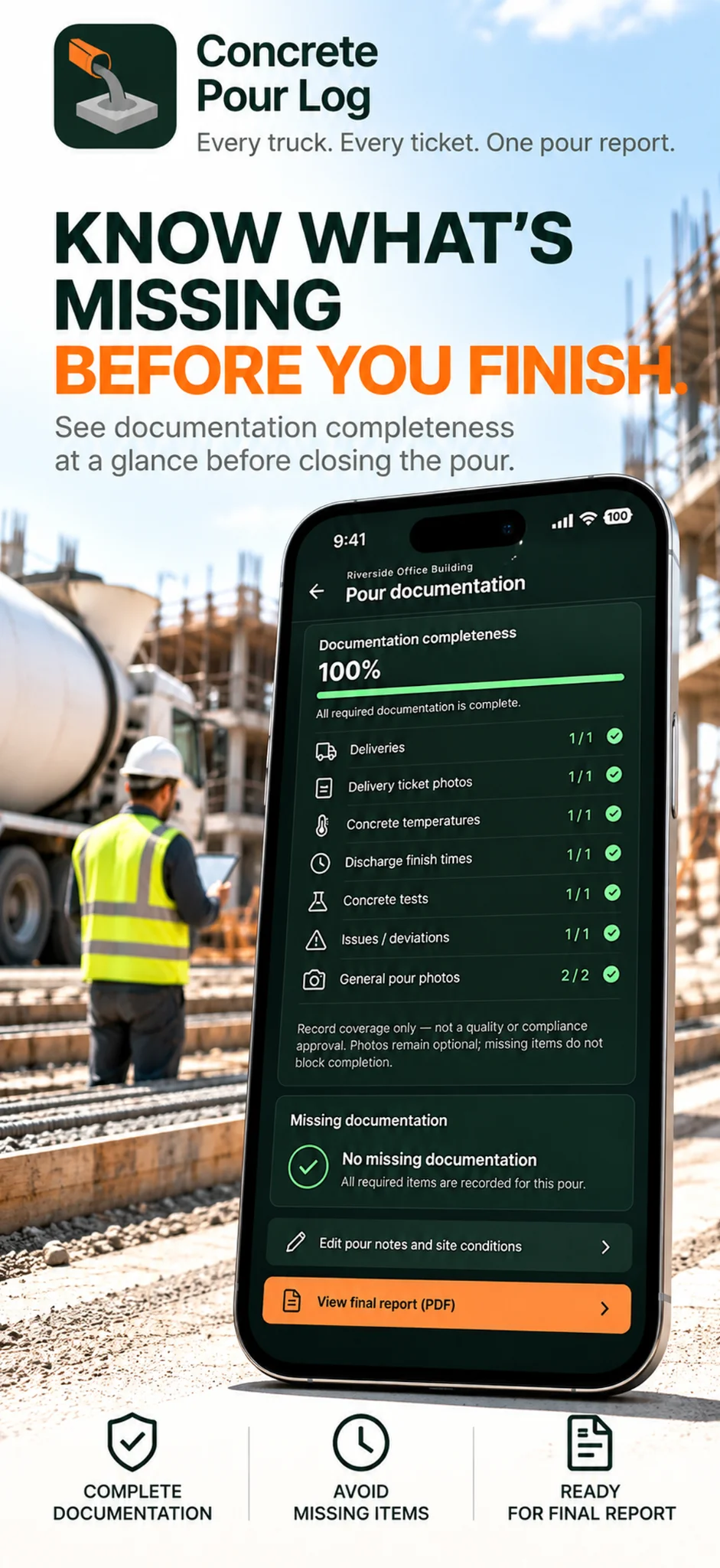
Yes. The documentation overview shows recorded items and highlights gaps before you close the pour. It measures record coverage, not concrete quality or compliance approval. Photos remain optional, and missing items do not block completion.
The PDF brings together project and pour details, delivery records, quantities, tests, issues, notes and supporting photos entered for the pour. Pro generates the report from your saved entries, ready to review, share or archive.
Yes. You can record pours and generate Pro PDF reports on your iPhone without a site internet connection. Emailing a report, online sharing, weather forecasts and purchase services require connectivity.
Yes. The app supports metric and imperial units, including cubic metres (m³) and cubic yards (yd³) for concrete volume.
The app is free to download. Free lets you record pours with one photo per entry. Pro adds PDF report generation and sharing, plus up to 10 photos per entry, including delivery tickets and supporting evidence. Compare Free and Pro.
No. Pro exports a PDF that recipients can open with a standard PDF viewer. Share it with the relevant client, contractor or QA/QC contact without requiring them to install Concrete Pour Log.
Both options include the same Pro features. Annual costs $19.99 USD per year and renews unless cancelled. Lifetime costs $29.99 USD once, with no recurring subscription. Local prices and taxes are shown in the App Store.
No. Concrete Pour Log documents the information and assessments you enter. It does not certify test results or replace laboratory testing, project-specific QA procedures or formal review and approval.
Email everwiseprojects@gmail.com with your app version and a short description of the issue. You can also read our Privacy Policy.
Concrete Pour Log is available for iPhone. Download it on the App Store.
Keep deliveries, photos and quality records together. With Pro, turn them into a PDF ready to share for review.
Download on the App Store →Free to download · Pro from $19.99/year
Or pay $29.99 once for lifetime access.